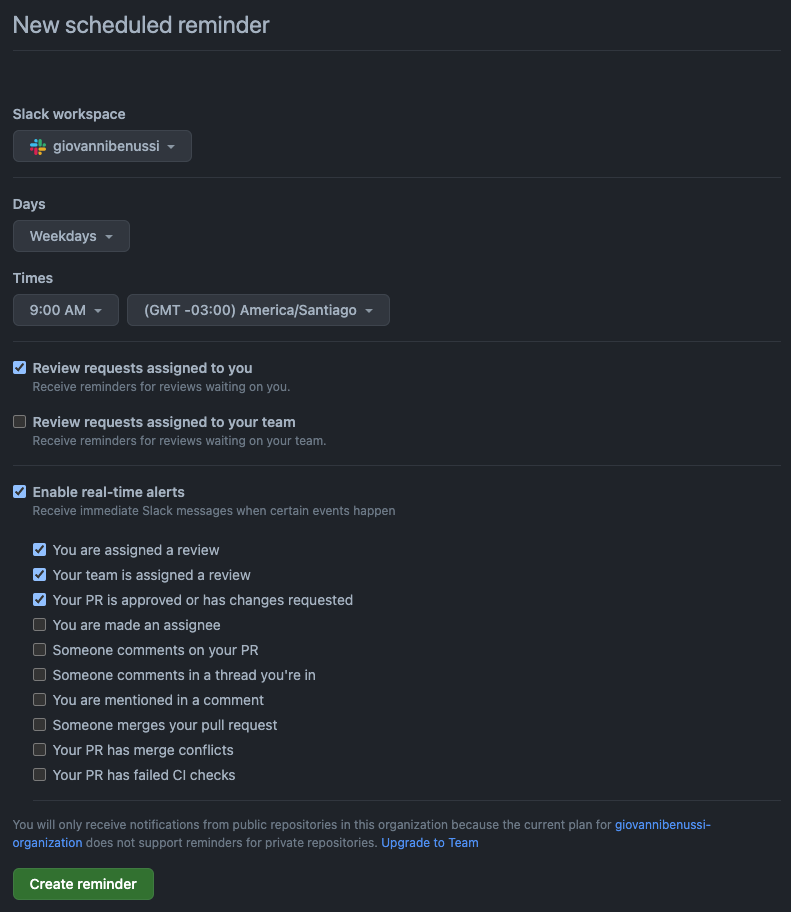
Setting Up Scheduled Reminders for GitHub on Slack

Scheduled reminders were launched last year and allows you to get customizable notifications about pull requests waiting for you to review at any time you choose, which makes it ideal to adapt to your workflow.
Last week, Jared Palmer tweeted about a way to setting up scheduled reminders on Slack:
Setting up GitHub reminders for my work Slack on weekdays at 9am and 2pm has been absolutely life changing. No more missed PR reviews and I effectively never need to deal w/ GitHub’s Notification ui — Jared Palmer (@jaredpalmer), January 26, 2022
It looked pretty nice so I needed to give it a try. I didn’t find any guide about how to do it I so decided to write one! 😬
Prerequisites
- A GitHub Organization (if you don’t, it takes 1 minute to do so)
- A Slack Workspace (a company slack, for example, or create one for free)
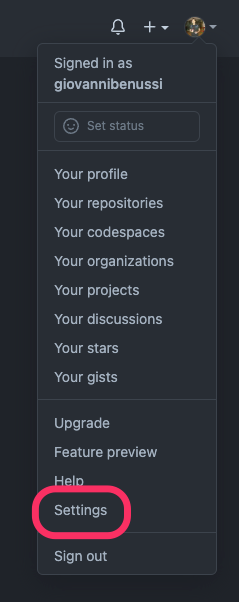
Visit your settings page or click “Settings” on the dropdown after you click your profile image at the top right on GitHub:
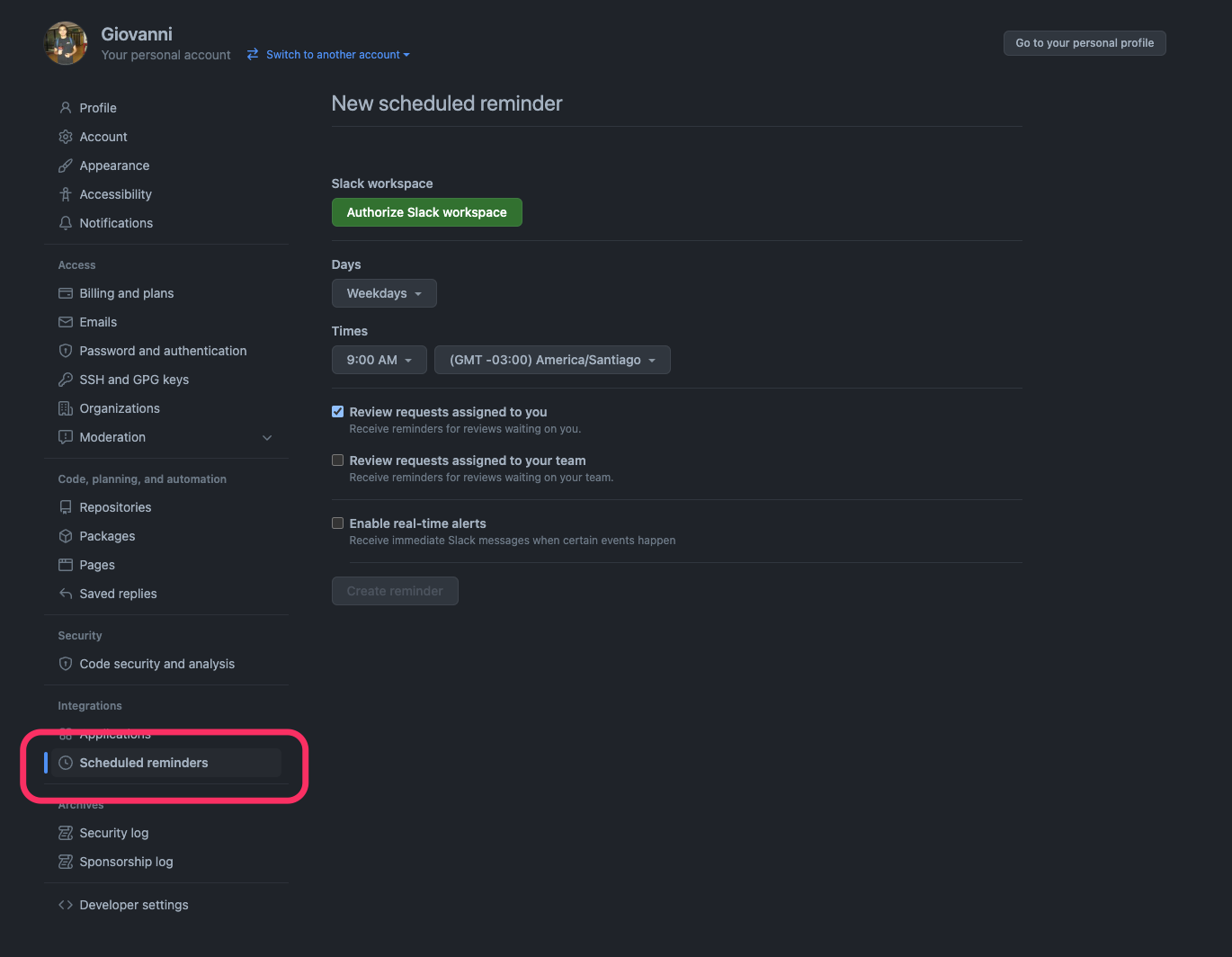
Then click on “Scheduled reminders” at the bottom of the left sidebar:
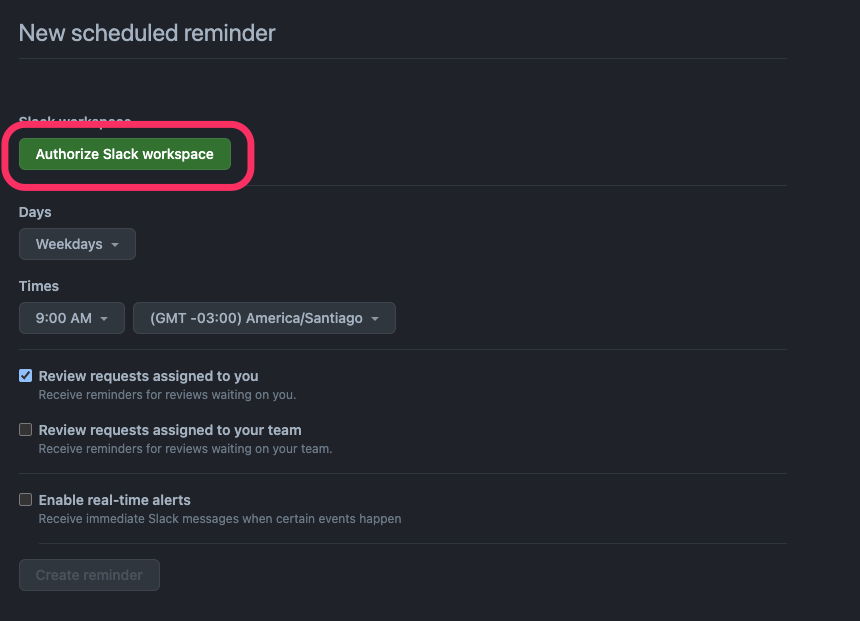
You are on the scheduled reminders page now. You need to give GitHub permissions to access your Slack workspace in order to be able to recive notifications. To do so, click on “Authorize Slack workspace” as shown below.
Then click on “Add workspace”:
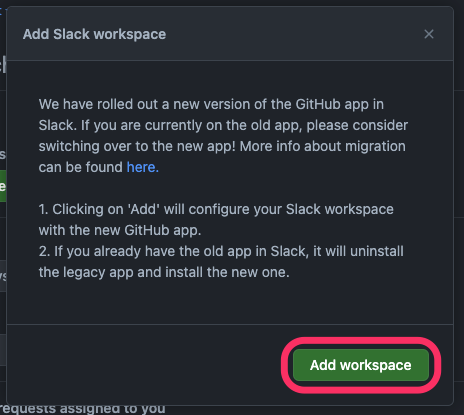
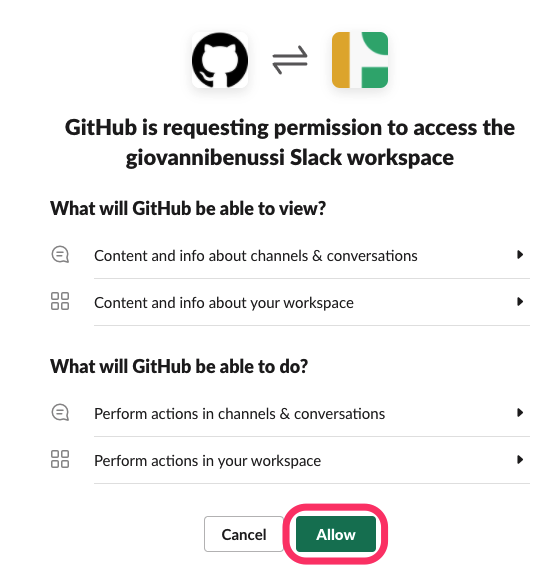
Authorize GitHub to access your Slack workspace:
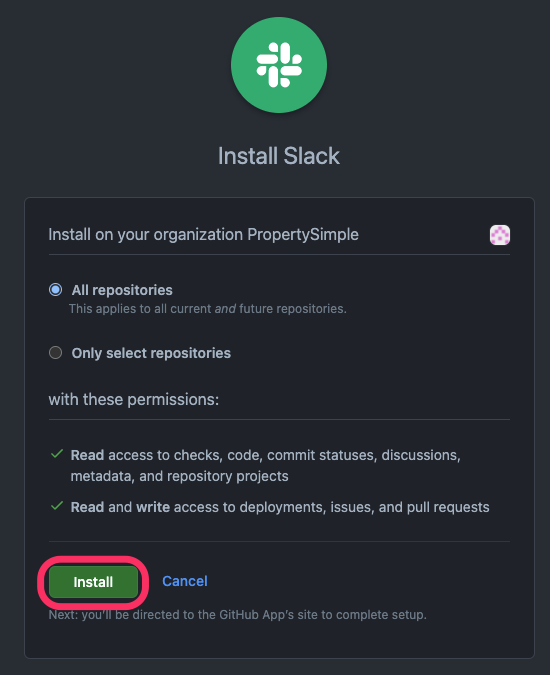
And finally, select the repositories that will have Slack installed and click “Install”:
That’s it! 🎉 You can configure your scheduled reminders and real-time alerts on the scheduled reminders page!